How to reset an administrator password on Windows on a dedicated server
You can reset a Windows administrator password using two methods: using a Windows installation image, or using Rescue mode.
Method 1: Using a Windows installation image
To reset the administrator account password for a 2012–2022 Windows server:
- Download a Windows installation image from the official Microsoft Evaluation Center
- Connect the installation image to iDRAC according to How to boot a server into a custom ISO image using iDRAC
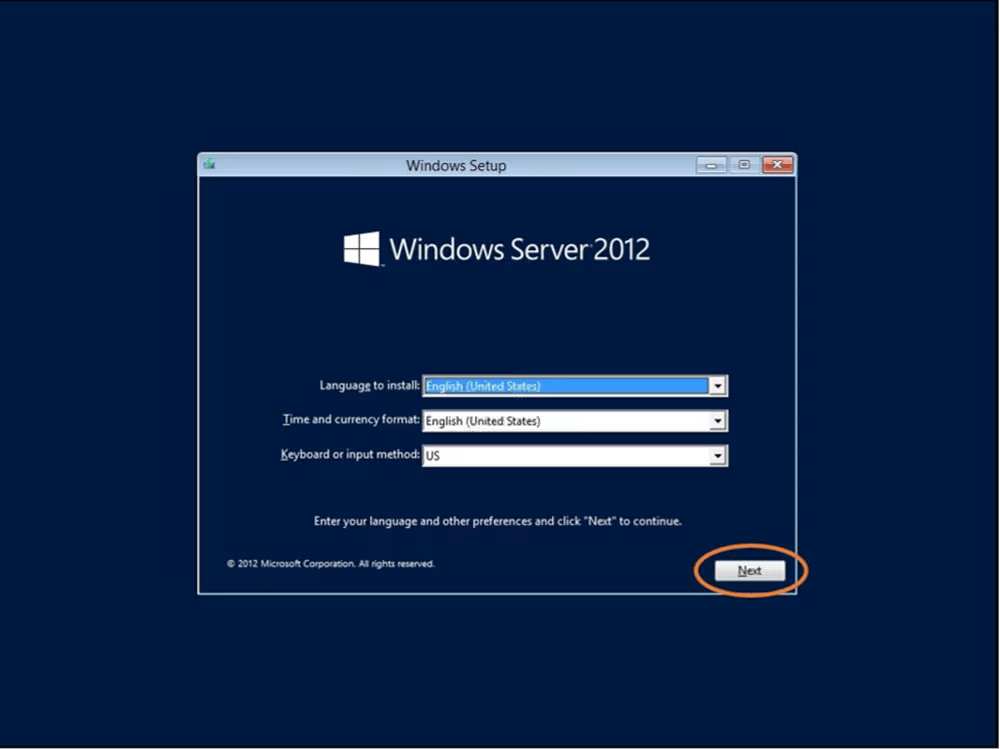
- Boot with the installation image and click Next in the Windows Setup window
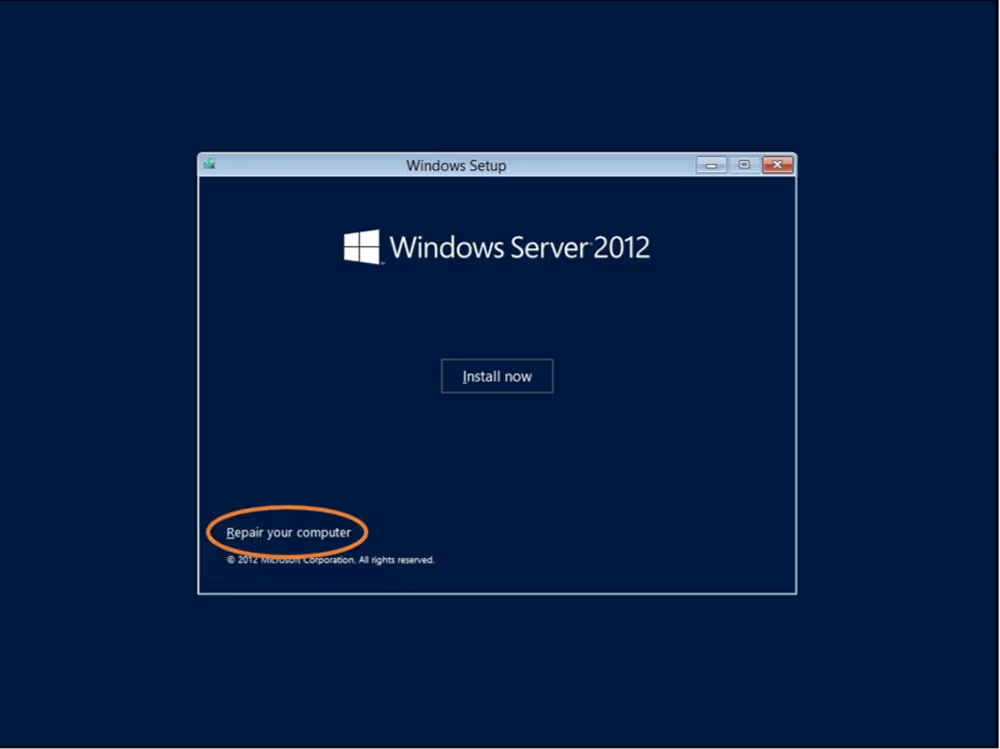
- Click Repair your computer
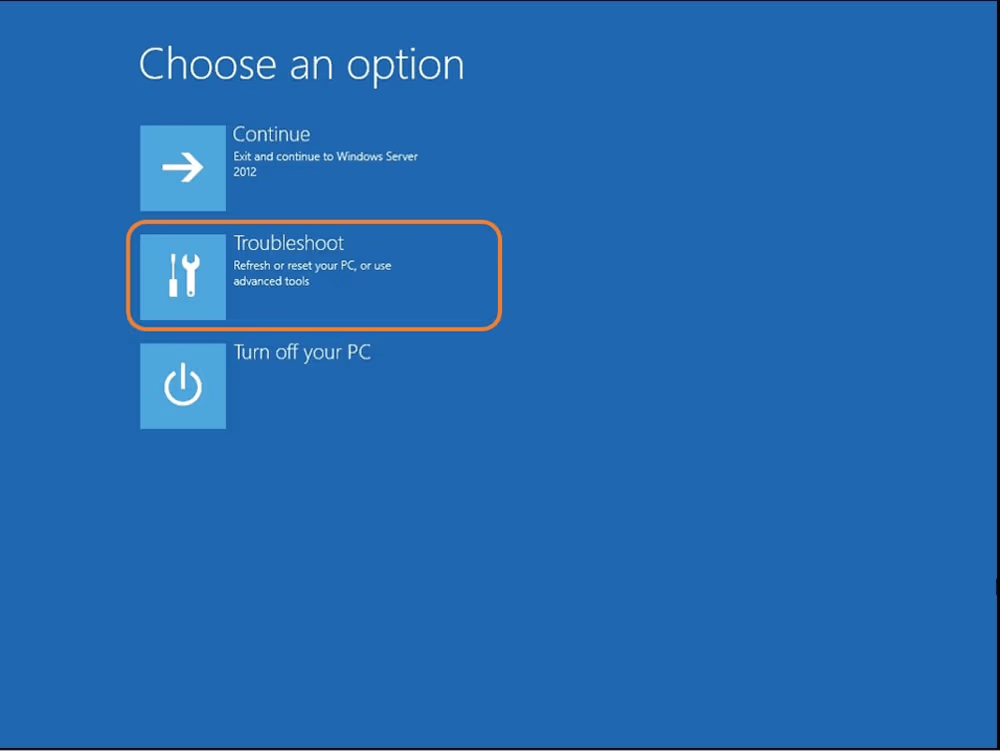
- Choose Troubleshoot
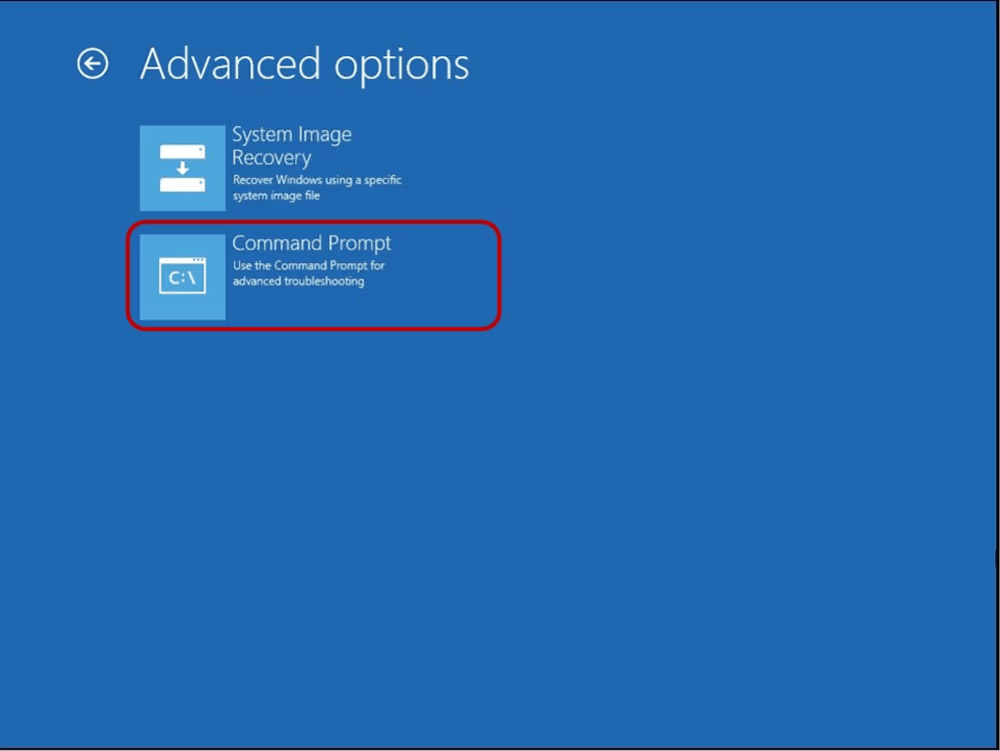
- In the Advanced options window, click Command Prompt
-
In the command line, run the following commands (where X is the letter of the disk on which Windows is installed):
X: cd windows\system32 ren Utilman.exe Utilman.exe.old copy cmd.exe Utilman.exe -
Close the command line and click Continue — the server will reboot
-
Press Windows Key + U on the login screen
-
Run the following command in the command prompt, replacing
Password123with your desired password (case-sensitive):net user administrator Password123After closing the command prompt, you can log into the OS using the new password.
Method 2: Using rescue mode
-
Open the command prompt using Win+R and shut down Windows correctly:
shutdown /s -
Open the Customer Portal and navigate to Dedicated Servers → Manage
-
Choose the server and click Details
-
In the Details section, click Reboot to rescue
Credentials will be sent to the email addresses of contacts with the primary and technical roles.
5. Log in to rescue mode using the credentials you received
6. Find the partition where the OS was installed (usually /dev/sda1):
fdisk -l-
Mount the partition:
ntfs-3g -o force /dev/sdX /mntIf you see an error about unsafe state, run
ntfsfix /dev/sdXfirst. -
Navigate to the config folder:
cd /mnt/Windows/System32/config/ -
Use the
chntpwutility to reset the password:chntpw -u Administrator SAM -
Press 1 and confirm overwriting of SAM file by pressing Y
Remove the server from rescue mode and run the operating system. You will not need to enter an administrator password when logging in. You can set a new password by pressing Ctrl+Alt+Del and clicking Change password.