Setting up Windows built-in VPN client
This guide explains how to configure the Windows built-in L2TP over IPsec VPN client to connect to your VPN gateway.
Before you begin, obtain your VPN credentials. For instructions, see Getting VPN credentials for a user.
Creating the VPN connection
- Press Win + R, type
ms-settings:network-vpn, and press Enter to open the VPN settings.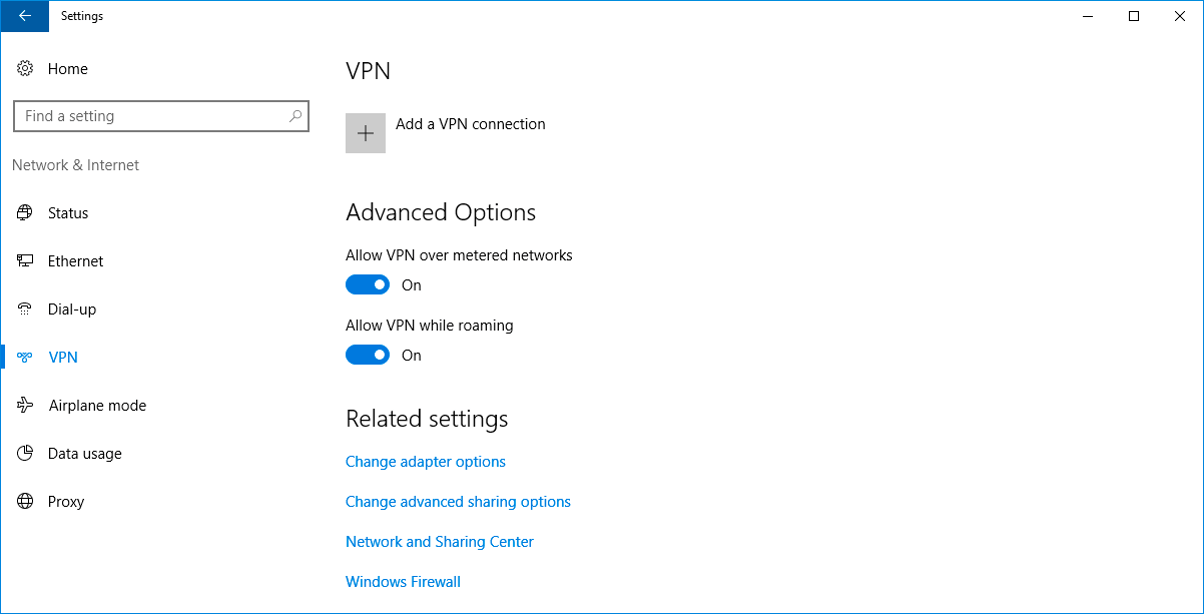
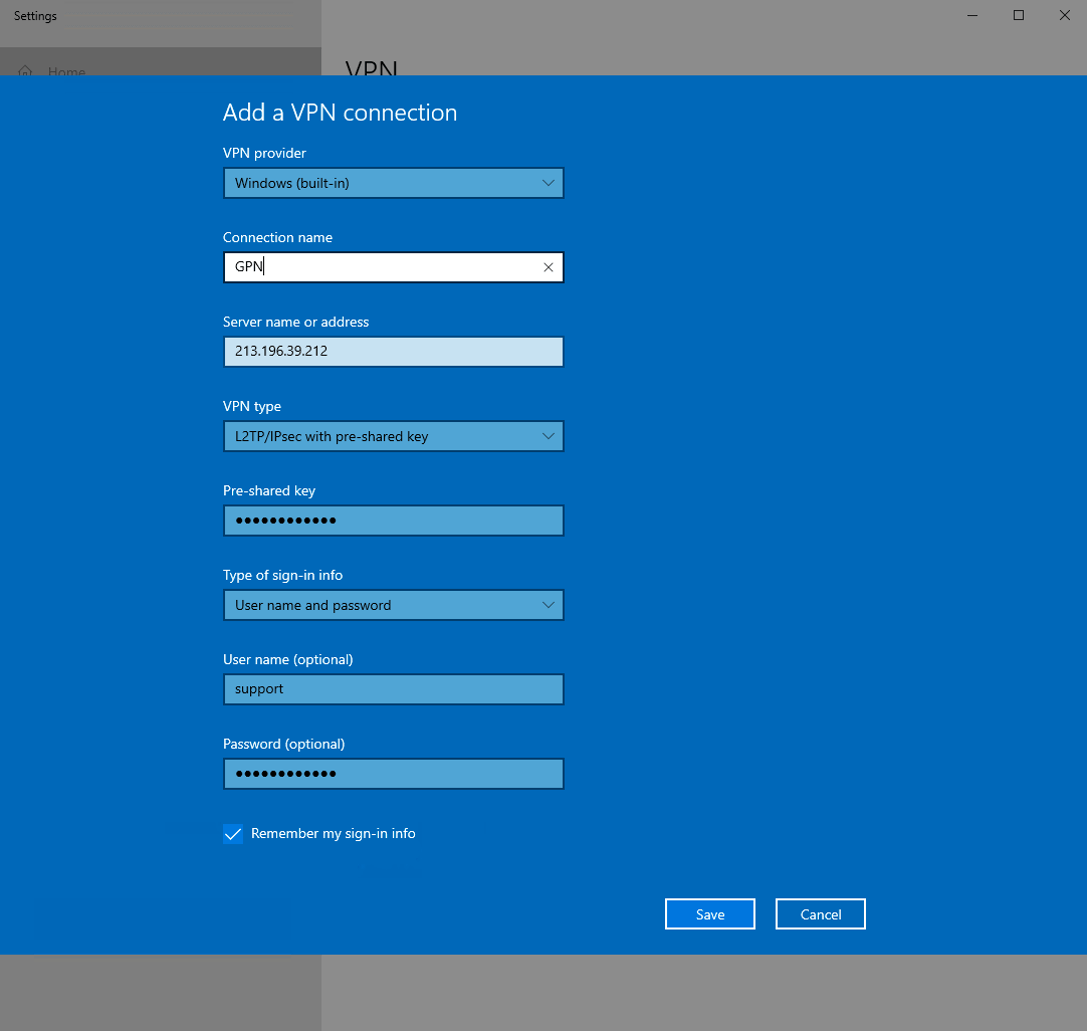
- Click Add a VPN connection and fill in the fields:
- VPN provider: Windows (built-in)
- Connection name: GPN
- VPN type: L2TP/IPsec with pre-shared key
- Server name or address: your VPN server address (from user credentials)
- Pre-shared key: your Shared Secret (from user credentials)
- User name: your Login (from user credentials)
- Password: your Password (from user credentials)
- Click Save.
Configuring additional parameters via PowerShell
- To open PowerShell: click Start, type PowerShell, and click Windows PowerShell.
- Run the following command to check the connection properties:
Get-VpnConnection -Name "GPN" -erroraction 'silentlycontinue'; Get-VpnConnection -AllUserConnection -Name "GPN" -erroraction 'silentlycontinue'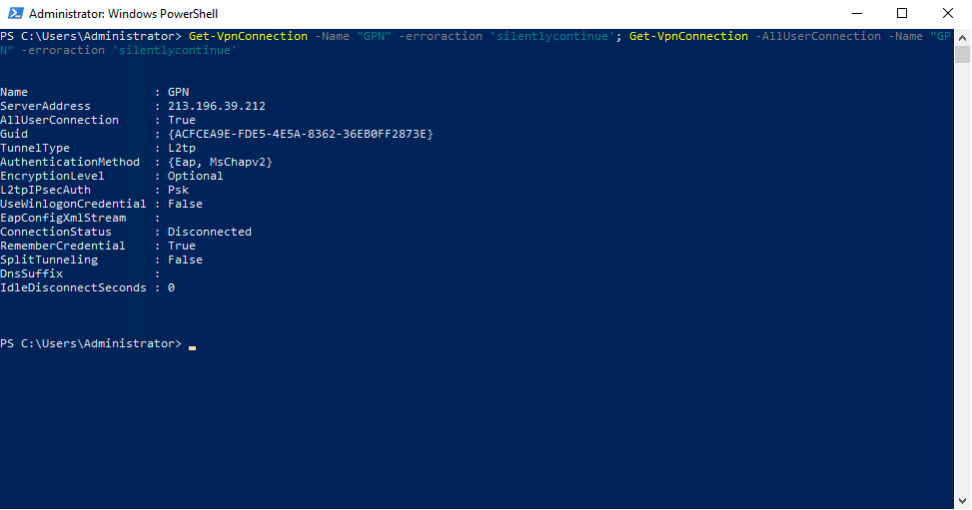 3. Check the AllUserConnection property in the output. If the value is
 True, the VPN connection is stored in the global (machine) phone book. Run:
Set-VpnConnection -Name "GPN" -EncryptionLevel "Optional" -AuthenticationMethod CHAP, MSCHAPv2 -SplitTunneling $True -AllUserConnection -PassThruIf the value is False, run:
Set-VpnConnection -Name "GPN" -EncryptionLevel "Optional" -AuthenticationMethod CHAP, MSCHAPv2 -SplitTunneling $True -PassThru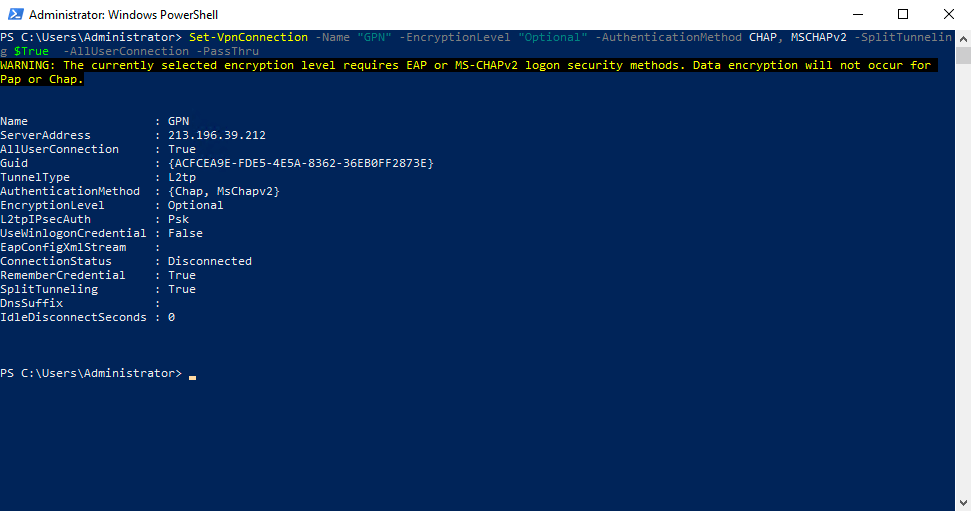
- Add the route for the VPN connection:
Add-VpnConnectionRoute -ConnectionName "GPN" -DestinationPrefix "10.0.0.0/8"Connecting to the VPN
You can connect in any of the following ways:
- Settings: Press Win + R, type
ms-settings:network-vpn, press Enter, select GPN, then click Connect. - System tray: Click the network icon, choose GPN, then click Connect.
- PowerShell: Run
rasdial GPN.
Troubleshooting
If you see the error:
The L2TP connection attempt failed because the security layer encountered a processing error during initial negotiations with the remote computer
- Open Command Prompt as Administrator.
- Run the following command:
Set-VpnConnectionIPsecConfiguration -ConnectionName "GPN" -AuthenticationTransformConstants SHA196 -CipherTransformConstants AES256 -EncryptionMethod AES256 -IntegrityCheckMethod SHA256 -PfsGroup None -DHGroup Group14 -PassThru -ForceNote: Replace
"GPN"with your actual VPN connection name if you used a different one.