



How to setup L2TP over IPsec for iDRAC on Linux Fedora 24
The integrated out-of-band management platform on Dell servers is called iDRAC. By default, access to the iDRAC interface of your servers is provided via a VPN. This guide explains how to access iDRAC using a VPN.
Alternatively, if necessary, you can enable temporary public access to the iDRAC interface, allowing access without a VPN. This can be activated in the customer portal on the server details page under the OOB section by selecting Enable public access for 24 hours. Once activated, public access remains enabled for the next 24 hours but can be manually disabled at any time.
For security reasons, VPN access remains the preferred method and should be used whenever possible.
Finding VPN credentials
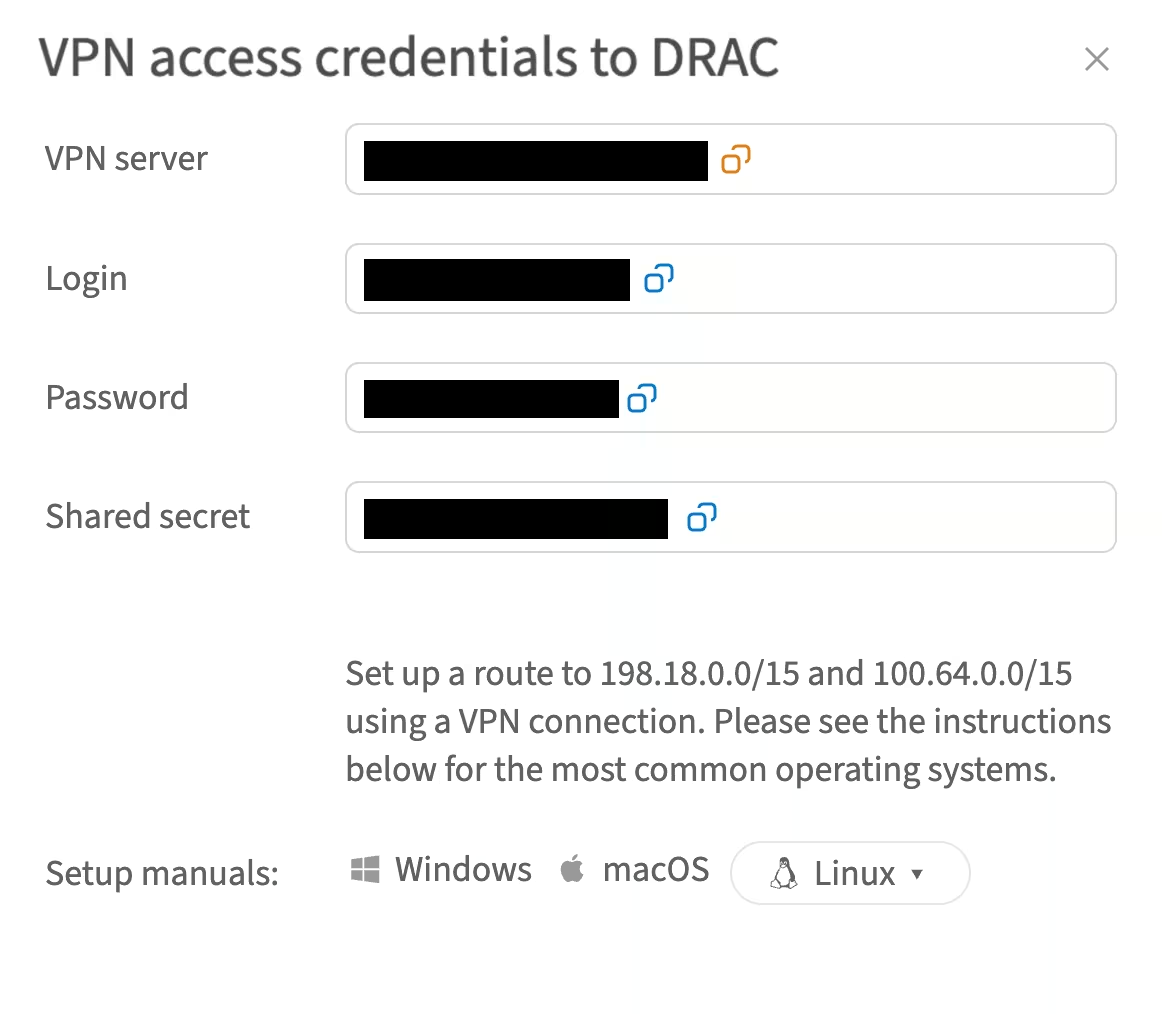
Credentials and instructions for setting up a VPN connection to the OOB network are available in the customer portal. To access them:
- Navigate to Networks → VPN access → VPN to DRAC section
- Select the location and click Credentials
- In the opened window, you will find the credentials:
Installing required packages
- Update the package information to retrieve the latest versions and dependencies:
sudo dnf update - Install the required packages:
sudo dnf install NetworkManager-l2tp NetworkManager-l2tp-gnome libreswan xl2tpd - Restart your system:
sudo reboot
Configure VPN connection
- Open Settings → Network and click the "+" symbol under the list of network connections
- Choose VPN → Layer 2 Tunneling Protocol (L2TP)
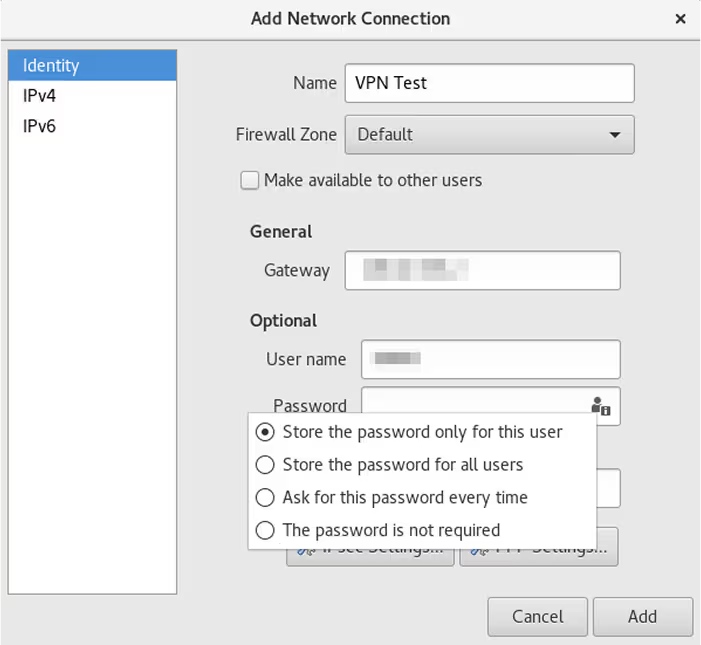
- In the VPN connection settings, go to the Identity tab and enter the following details:
- Name (e.g. VPN Test)
- Login credentials obtained from the customer portal:
- Gateway - VPN server
- Username - Login
- Password - Password
- Click the user symbol in the password input field and select Store the password only for this user:
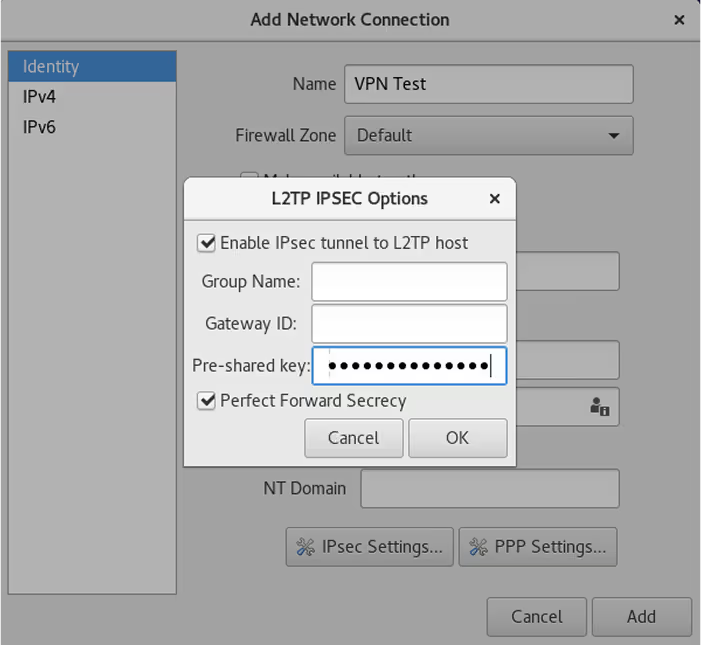
- In the same window, click IPsec Settings and proceed with the following steps:
- Tick Enable IPsec tunnel to L2TP host
- Enter the Pre-shared key (use the shared secret from the customer portal)
- Leave the rest of the fields blank
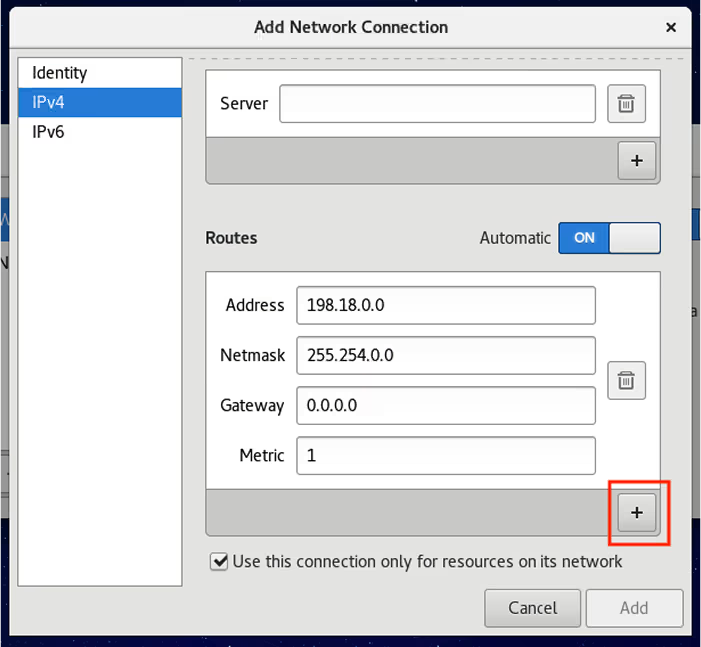
- Go to the IPv4 tab and scroll down to the Routes section:
- Add the following routes by clicking "+" button:
198.18.0.0100.64.0.0 - Click Add to save the connection
- Add the following routes by clicking "+" button:
- Turn on your VPN connection:
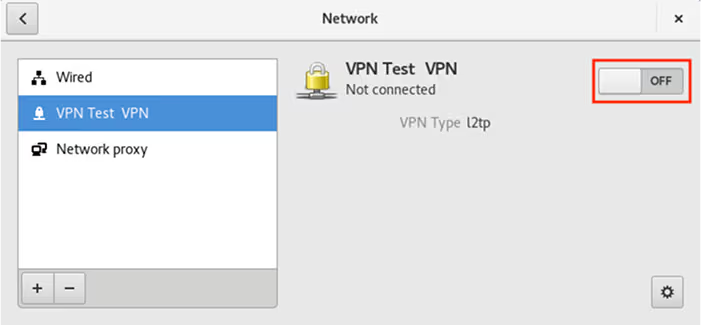
Once the VPN connection is established, you can access your iDRAC using the IP address specified on the server's details page in the customer portal.
Finding iDRAC credentials
The IP address and credentials for an individual server's iDRAC interface can be found in the customer portal:
- Navigate to Dedicated Servers → Manage → Your server → Details
- Scroll to the OOB section and click Credentials


