Nexcess.com Servers.com LiquidWeb.com
Back

Network

Hyper-scale grade network design with active-active redundancy on both public and private networks

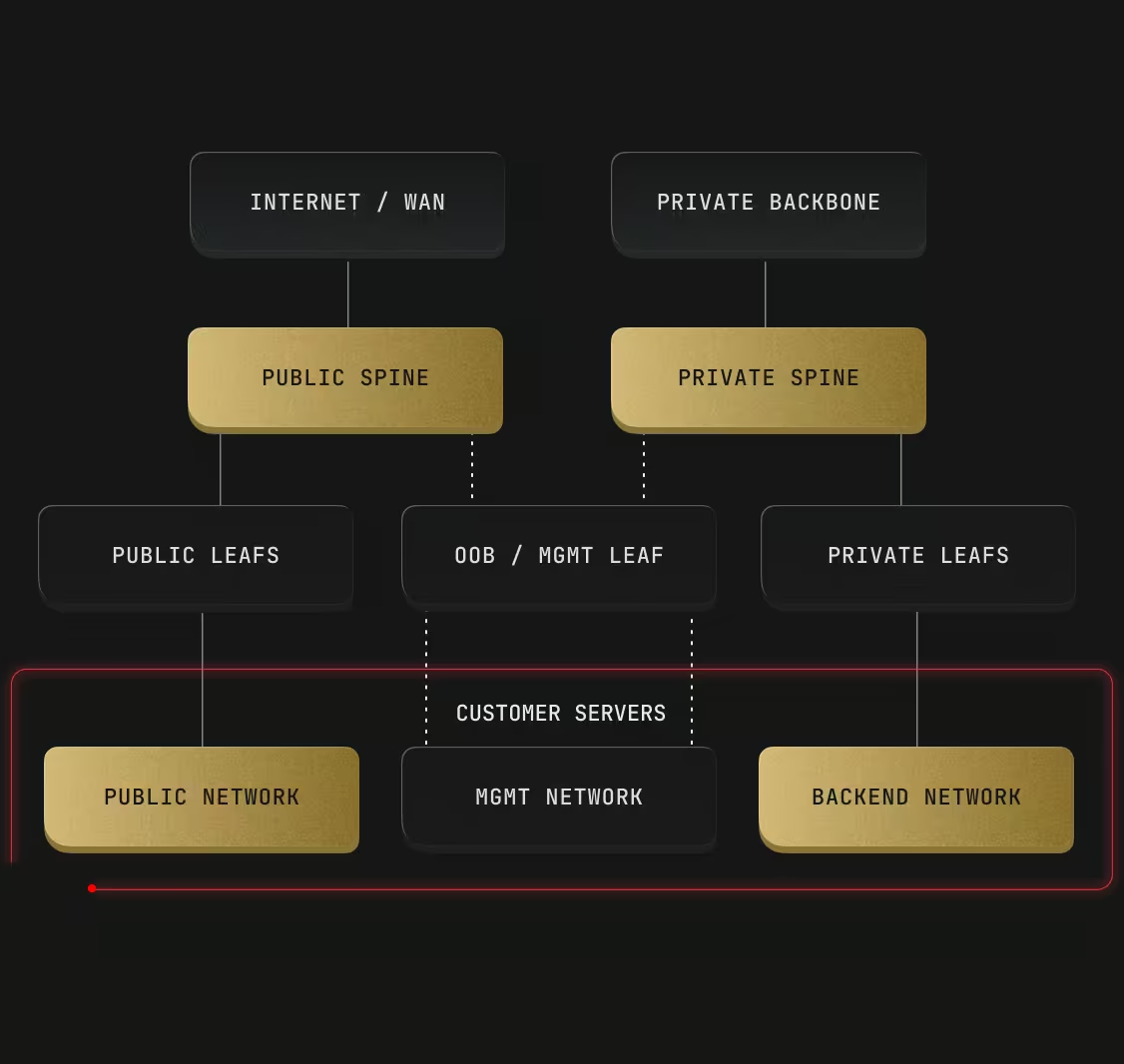
Each of the servers in our centers connect to five switches: two for public network, two for private network and one for OOB access. No downtime on a link or switch failure, while every customer stays fully isolated and free to scale anywhere in the data center.

server.com network

The three networks every server connects to

Each server includes two redundant links for the public network and two for the private network. Link speeds of 1 Gbps, 10 Gbps, 25 Gbps and 100 Gbps are available depending on location.

  • Hybrid and multi-cloud platforms

    Public network

    Carries traffic to and from the internet, through core routers connected to several Tier 1 carriers.

  • Legacy systems

    Private network

    The Global Private Network connects your servers across every data center with no charge for the traffic.

  • Mergers and acquisitions

    Management network

    A separate out-of-band (OOB) network for hardware management, hidden behind a virtual private network (VPN) by default.

Carrier and exchange partners

Carrier and exchange partners vary by data center, and together they give your traffic many short routes to its destination.

  • arelion
  • bbix
  • china-unicom
  • cogent
  • colt
  • comcast
  • communityix
  • detix
  • equinix
  • gtt
  • hk-ix
  • linx
  • lumen
  • ntt
  • pccw
  • tata
  • telstra
  • telxius

Round-trip times across the network

Round-trip times across the network measure how long traffic takes to reach another data center or cloud region and come back, which decides whether an auction, a frame, or a trade lands on time.

Network Fastest Longest
Public Under 1 millisecond (ms) between data centers in the same city 352 ms between Singapore and São Paulo
Private Under 1 ms between data centers in the same city 380 ms between Hong Kong and São Paulo
Google Cloud Under 1 ms between Google US East4 and Servers.com Washington, DC 318 ms between Google South America East and Servers.com Singapore
Amazon Web Services (AWS) 1 ms between AWS US East 1 and Servers.com Washington, Virginia 362 ms between AWS South America East and Servers.com Singapore

How the network stays up when something fails

How the network stays up when something fails comes from redundancy in the hardware and in the way traffic is routed.

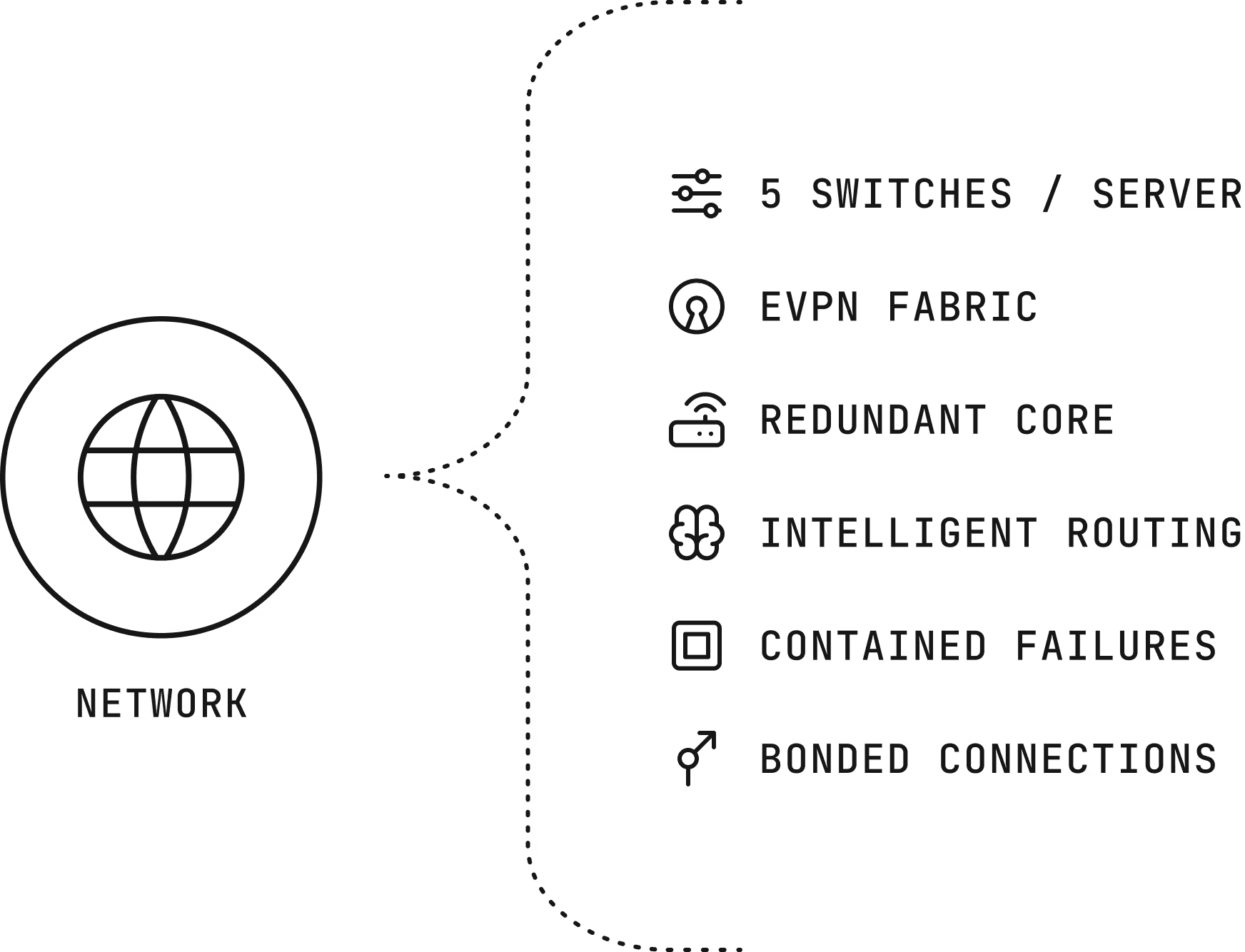
Five switches per server

There are five switches per server. Two for Public Network, two for Private Network and one for OOB access.

EVPN Fabric

Hyperscale-grade network design with active-active redundancy on both public and private networks.

Redundant core

Public core routers connect to multiple Tier 1 carriers, and private network routers keep at least two independent connections.

Intelligent Routing

Our intelligent routing selects the best available path for your internet traffic while maintaining multiple alternative paths for redundancy, which improves both fault tolerance and performance.

Contained failures

The fabric has no switching loops, so a failed switch or Link stays contained and doesn’t spread across the network.

Bonded connections

By default, each pair of ports is bonded into one link, so traffic reroutes automatically if one fails. Ports can also be used separately.

Network

Routing and protection on the Servers.com network

Intelligent routing

Beyond standard border gateway protocol (BGP), our proprietary routing optimization engine continuously measures network performance and automatically steers your traffic around provider congestion and bottlenecks delivering lower latency and consistently fast connectivity to your users worldwide.

DDoS protection

Protection against the most common amplification distributed denial-of-service (DDoS) attacks, free in every location.

Dual-stack networking

Native support for IPv4 and IPv6 addresses on the public network.

Flexible networking

Combine Layer 2 (L2) Segments, Direct Connect, Firewall, domain name system (DNS), and virtual private network (VPN) to create the topology, routing, connectivity, and security your workloads need, with the control and performance of bare metal infrastructure.

Support from engineers, backed by a team that knows your environment

Support from engineers, backed by a team that knows your environment, is part of every product we sell, and it doesn’t depend on how much you spend with us.

FAQs

Is traffic between my servers free?

Yes, when it runs over the Global Private Network, which connects all our data centers.

How much private bandwidth does a server get?

Up to 20 gigabits per second (Gbps) for each dedicated server.

Why doesn’t the network give me a shared local network by default?

Our routed fabric gives each server its own isolated segment, which is more resilient. L2 Segments add shared segments where your software needs them.

Which carriers are available in my location?

Carriers vary by data center, and the list for each location is on our available internet protocol (IP) carriers page.

See how the network performs for your routes banner See how the network performs for your routes Mobile banner

See how the network performs for your routes

Check round-trip times for every location, or ask an engineer to measure the paths that matter to your platform.