Identity and access management is for any account, whether one person or many use it. Even a single person can group resources into resource groups to keep different projects apart.
Give each person the access their job needs, and no more.
Reuse a policy setup in another account by exporting it from one account and importing it into the other.
Show who can change what during an audit.
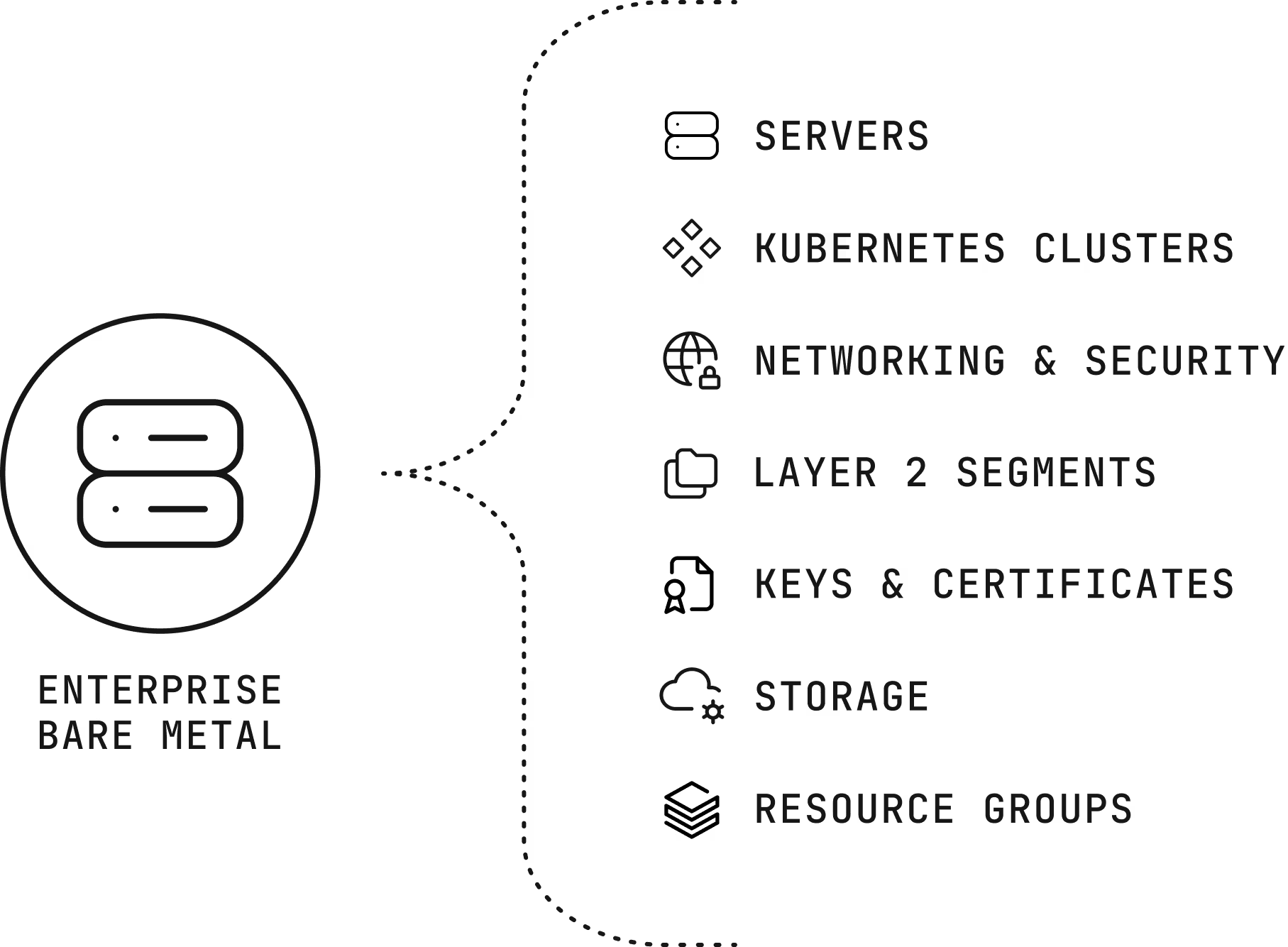
Enterprise Bare Metal (EBM), Scalable Bare Metal (SBM), and Cloud Servers, including ordering, power, reinstall, cancel, and console access, plus Private Racks.
Who can create, view, and change your Managed Kubernetes clusters.
Load Balancers, Firewalls, network pools, and VPN to the Global Private Network (GPN).
Segment pages respect permissions for hosts, Kubernetes nodes, and Direct Connect.
SSH keys, SSL certificates, and GPG keys follow the same permissions as other resources.
Object Storage.
Organize resources into groups and grant access by group.
People see and change only what your IAM permissions allow.
One policy file lets you apply the same rules in another account.
Revoking a member also removes their notification subscriptions
This service is free of charge.
Group people by what they work on.
Attach permission policies to each team in Access Control.
Export the policies as a file and import them into your other accounts.
The infrastructure, the network, and the people come from one provider that designs around the workload.
Every server we rent belongs to one customer, and no proprietary service sits between your software and the hardware, so moving away never means rewriting your platform.
Data centers across North America, South America, Europe, and Asia Pacific, joined by a private network with free transfer between sites.
The Customer Portal, a public application programming interface (API), a command-line tool, and Terraform work across the catalog, with the same hardware profiles in every region.
The engineers and account managers who help design your environment are the ones who help you migrate it and run it.
Support from engineers, backed by a team that knows your environment, is part of every product we sell, and it doesn’t depend on how much you spend with us.
Engineers answer your messages 24 hours a day and every day of the year, and your account team brings the context of your environment.
Your account managers stay with you for the life of the relationship, from the first call onward.
Architects take part in design, migration, and later changes, so decisions get made with the workload in view.
We work in your Slack, Discord, Teams, Telegram, or WhatsApp instead of asking you to learn a ticket system.
Under Identity & Access, in the Access Control section of the Customer Portal.
Yes. Export policies to a JSON file in our own format and import them into another account. Policies from other providers can’t be imported.
Servers.com IAM is ready to use on day one and fits company organizational structure - whether you want to operate in department-based structure, or create multiple projects with resources accessible only for specific teams.
Set up teams and policies in the portal or ask your account team for help designing them.